After my HPC Interactive Desktop Job starts, I try to open it. When I do I see a “QuotaExceededError” and am unable to access my job. What is happening and what can be done about this?
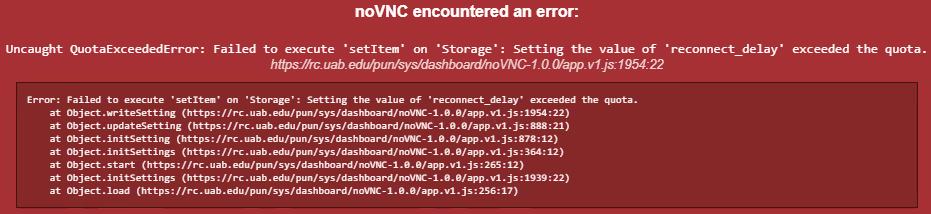
The error occurs because noVNC is unable to store javascript code or data within your local browser cache because the browser hasn’t allocated enough space, or previous session data hasn’t been cleaned up. There are many possible root causes.
First try clearing the cache and site data for rc.uab.edu. For most browsers, this would be done under “settings” searching for something like “manage data” or “site data”.
If that doesn’t work, try clearing cache and site data for every site. We don’t recommend clearing your browser history, though you are welcome to if desired.