Why do I see a login screen like below when I return to an RStudio session in Open OnDemand, and how do I get back into my session?

While unexpected, this behavior is normal and typical for RStudio server. To log in again, please fill out the form with the following information.
- Username: Your
blazeridor your XIAS email address (Whichever you use to log in to Cheaha.) - Password: The password in the
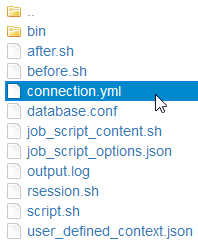
connection.ymlfile in the session link on the Job Card.
To find the session password, first navigate to the Open OnDemand main page. Click “My Interactive Sessions” at the top navigation bar. You should see a job card like below for your RStudio session. Click the hexadecimal “Session ID” link to open a file browser.

Once at the file browser, open the connection.yml file and look for the password entry. Use that password to log in.